The new age of learning.
The learning platform for forward-thinking schools and tutors.
Engaging learning, real-time student insights, and responsible AI, all in one place. Built to give educators a clearer picture of student progress and the tools to move learning forward.
The apps students use every day know them well. The tools that run their education barely know them at all.
A school's teaching is split across separate tools that do not share data. Grades are about the only thing that moves between them.
No one sees the whole student.
What a student keeps getting wrong stays in the app where it happened. A student who is falling behind can go unnoticed until a grade makes it obvious.
AI arrived before schools were ready.
Students and teachers already use it, with rules or without. A good grade on work done outside class now says much less about what a student understands.
Practice rewards nothing until the grade comes back.
Outside class, the apps students use reward every action. Schoolwork gives little back as they work: no feedback, no visible progress, no reason to return tomorrow.
What every classroom needs. Connected on one platform.
Today these live in separate tools, and the full picture of a student only appears once the grades are in.
Responsible AI. Ensures AI works for the school, not around it. Protects academic integrity and keeps teachers accountable for decisions with content rooted in their materials.
Engaged learning. Makes learning engaging and fun. Quick feedback, visible progress and friendly competition, so students come back to practice on their own.
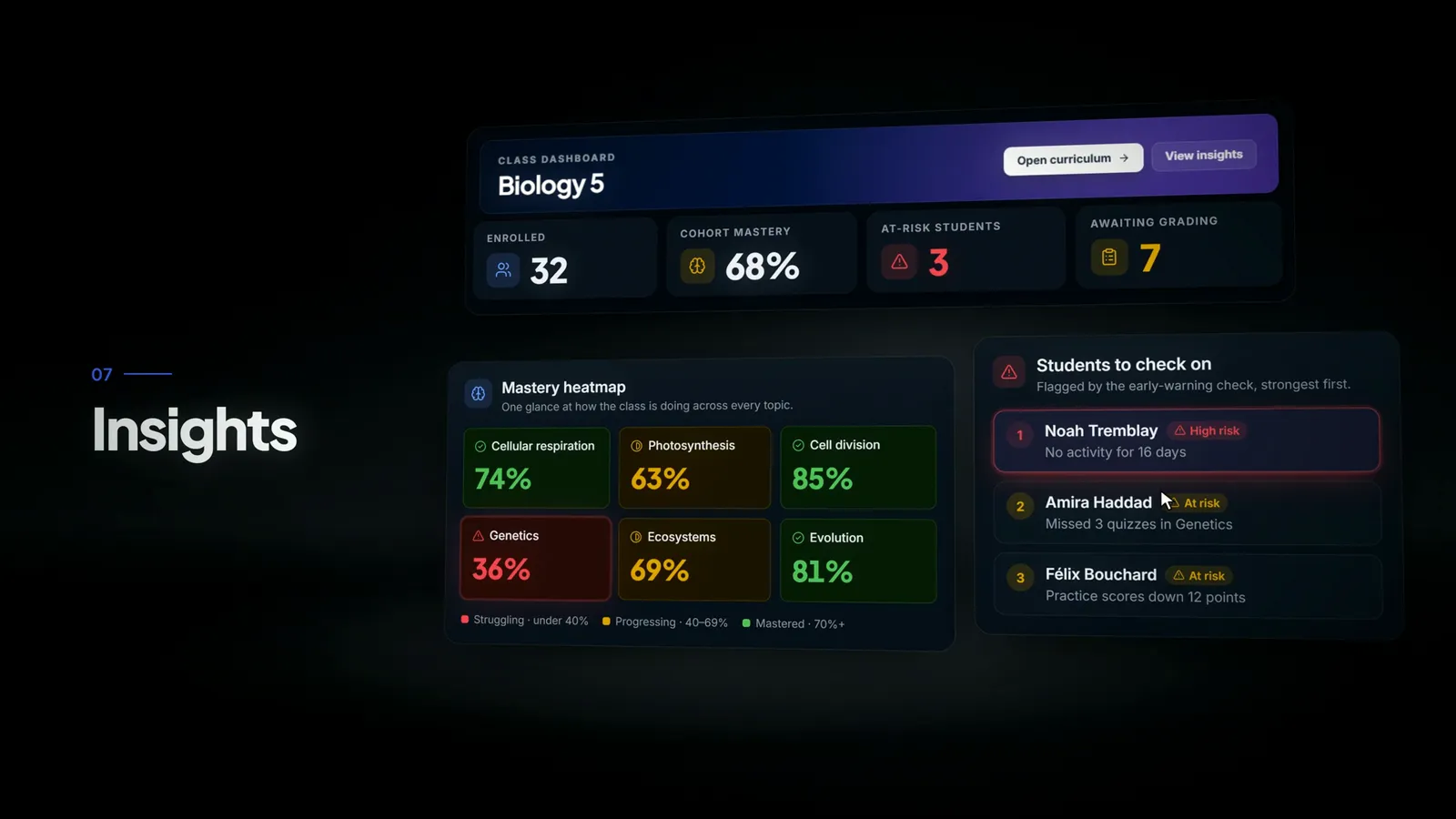
Learning intelligence. Provides insights to give educators visibility to better understand how each student is progressing and where support is needed most.
Three overlapping circles: responsible AI, engaged learning and learning intelligence. Lectur sits where all three meet.
Use all of Lectur, or only the parts you need.
Lectur is fully modular: set each part up your way, from the whole organization down to a single course.
Learn
Courses built from your own material, with interactive lessons, adaptive practice, protected video and an AI tutor that knows the course.
Assess
A question bank, coursework, a flexible gradebook and secure exams, with AI drafting the marking for you to publish.
Engage
Announcements, polls, class chat and friendly challenges that keep students coming back to practice.
Track
Insights on every student and every topic, one skills profile across courses, and a read-only view for parents.


Every school and every tutor works differently. Our team builds alongside you, until Lectur feels like your own in-house platform.
AI that works for the school, not around it.
Students and teachers already use AI, in tools the school never chose. Lectur brings it into the school's own system.
Where do your answers come from?
Only from the teacher's course material.
Protect the courses you've built.
Shared logins, screen recordings and resold copies cost tutors and schools real money. Every recording and live class on Lectur is encrypted, tied to the person watching it and traceable back to them.
How Lectur protects your videosBring a recording to your demo
Why educators choose Lectur.
This platform is absolutely great to use as a tutor or teacher. It is fully tailored to your needs, and the customer service is excellent. You always receive a response within a maximum of two hours, and most of the time it’s well within the hour. If any issue arises, it gets resolved quickly. I haven’t been able to find anything else as good, or even close to how good this platform is. An amazing platform with outstanding customer service.
 Dereck G.Tutoring business owner
Hands down the best platform I have used. For any professor/tutor or educator seeing this, try a demo with the team. You will see how great the platform is, and the team behind it.
 Matthew M.Tutoring business owner
How we handle student data.
Student records stored in Québec
Student work never used to train AI
Privacy impact assessment included
Can we start small, with a pilot?
Yes. Each feature is a module, so you can start with the ones you need, in a few classrooms alongside the tools you already use. Switch on more later, for the whole organization or a single course.
Will this add work for our teachers?
Teachers keep doing what they already do, in one place instead of several. AI prepares first drafts of marking, feedback and lessons, and no draft reaches a student until a teacher approves it. Anything a school doesn't want stays switched off.
Does Lectur work with the systems we already use?
Yes. Staff and students can sign in with their school Microsoft or Google account. Upload a Moodle course backup and Lectur imports its files, sections, pages and quiz questions, with a preview first, and a Moodle roster can stay in step while both run side by side. From Google Classroom, Lectur imports the materials teachers posted.
What if we need something Lectur doesn't do yet?
Tell us. You'll speak directly with the people who build Lectur, and many of today's features started as a customer's request.
Which devices does Lectur work on?
Any up-to-date browser on a computer, tablet or phone, including Safari on Mac, iPhone and iPad. There's nothing to install.
Is it fully bilingual?
Yes. Every screen is in English and French, and each person chooses their own language. Your course material stays in the language you write it in.
How do we get started, and what does it cost?
Book a demo. Bring one chapter or one recording and we set it up with you live. The price depends on the modules you switch on, so we give it to you in that conversation.
Ready to see it on your own material?
Book a demo, or start with a pilot in a few classrooms.
- We set up your chapter or recording live
- We reply within two business days
- No commitment
Prefer email? Write to us at info@lectur.ca